

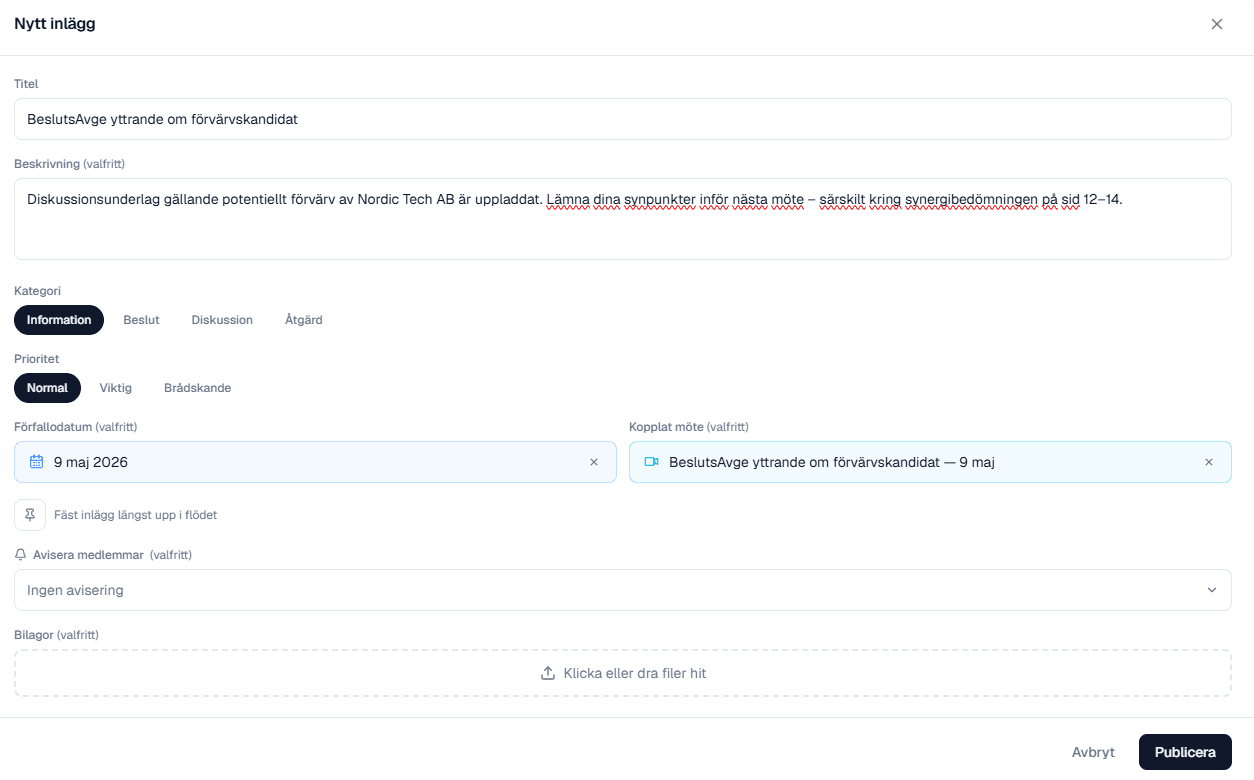
Link meetings to posts
Connect a post directly to the meeting it relates to. Discussion materials, decisions or actions are one click away — both from the forum and from the meeting card — so no one has to hunt for the right minutes.
Information, decisions, actions — sorted from the start.
The forum replaces email threads with structured posts. Tag as decision, discussion or action, set priority and let the right people speak up.
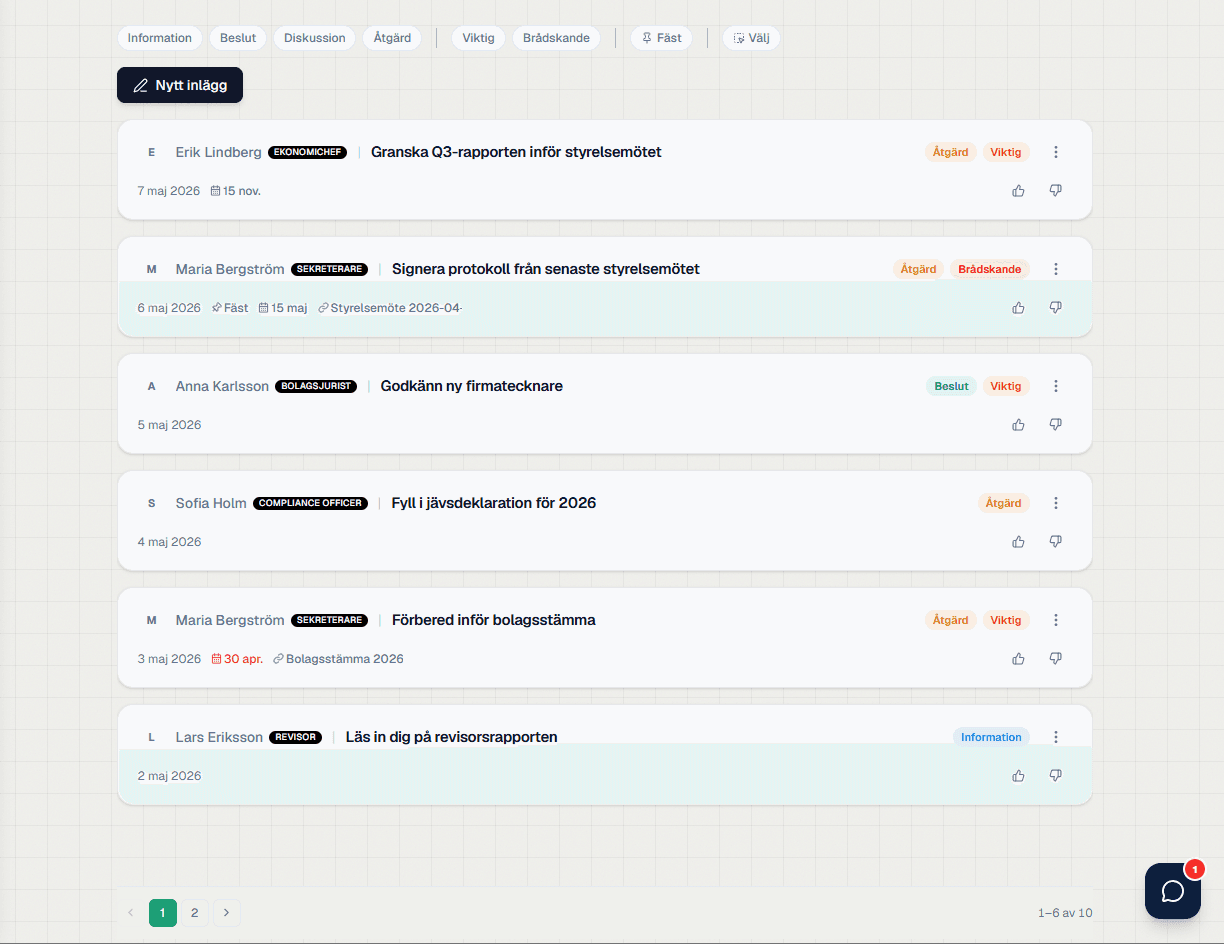
The forum feed with posts, categories, priority flags and pinned items
Not just another chat — a decision forum.
Posts that actually go somewhere: linked to meetings, sent to the right people, and open for everyone to weigh in.
Connect a post directly to the meeting it relates to. Discussion materials, decisions or actions are one click away — both from the forum and from the meeting card — so no one has to hunt for the right minutes.
Flag a post as Important or Urgent and pick which members should be notified. The right people get the message immediately — without flooding the rest of the board with noise.
Every post has room for comments and reactions. The board can chime in, like or signal a dislike — giving a clear read on where support sits before the decision is made.
They solve different problems, and for board work the difference matters.
Chat is built for pace. It is excellent for checking something quickly and poor at reconstructing, afterwards, what was discussed ahead of a decision.
A forum is built around matters. A thread belongs to a question, stays when the question is settled, and can be found without anyone remembering roughly which week it was.
For board material it matters where the conversation happens. Documents shared in a private chat sit outside the company's control, outside the access model and outside the archive.
The practical test: if the chair changes next month, does the discussion come along? In a forum attached to the board's workspace it does. In an email thread or a chat group it does not.
Few decisions are made between meetings — but a lot is prepared. That part usually leaves no trace.
A forum attached to the board's workspace gives discussions the same access control and the same history as the documents, instead of living in private inboxes.
Threads per matter make it possible to see what was discussed ahead of a decision without digging through email.
The same role control as the rest of the workspace — a co-opted adviser sees their thread, not the whole board's.
The discussion survives a change of chair, unlike an email thread in someone's inbox.
Small but decisive details that make the forum actually usable.
Information, Decision, Discussion or Action — sorted from the start so the feed doesn't turn into an email chain.
Flag a post as Important or Urgent. Filter the feed by priority when time is short.
Pin the posts that can't be lost — key decisions, open investigations or upcoming meetings — to the top of the feed.
Add documents, meetings and external links straight to the post. Discussion and source material in one place.
Select several posts at once, archive or move them — handy when the board cleans up between meetings.
Find your way back to old discussions and decisions. Activity log and permissions always come along.
Structured so nothing falls through the cracks.
Every post has a category (Information / Decision / Discussion / Action) and can be flagged Important or Urgent.
Decisions can be signed directly and linked to tasks or files.
Everything written in the forum is tied to the organization and permission-controlled. Activity log, search and archive make sure past decisions can always be found again.
Because the history leaves with the person. When the chair changes the thread does not follow, and material shared privately sits outside the company's access model and outside the archive.
Chat is built for pace, a forum for matters. A thread belongs to a question, stays once the question is settled, and can be found without anyone remembering roughly which week it was.
Yes. Permissions are set per thread, so an external adviser can take part in their question without seeing the rest of the board's material.
Yes. A thread can belong to a matter due at the next meeting, which makes it possible to see afterwards what was discussed ahead of the decision.
Notifications can be set per thread. The point is to avoid both the email flood and having to monitor one more channel.